Rawpixel Downloader
Rawpixel has thousands of incredible design resources. Downloading them one at a time is not incredible. Batch-save mockups, vectors, and art in seconds.
Overview
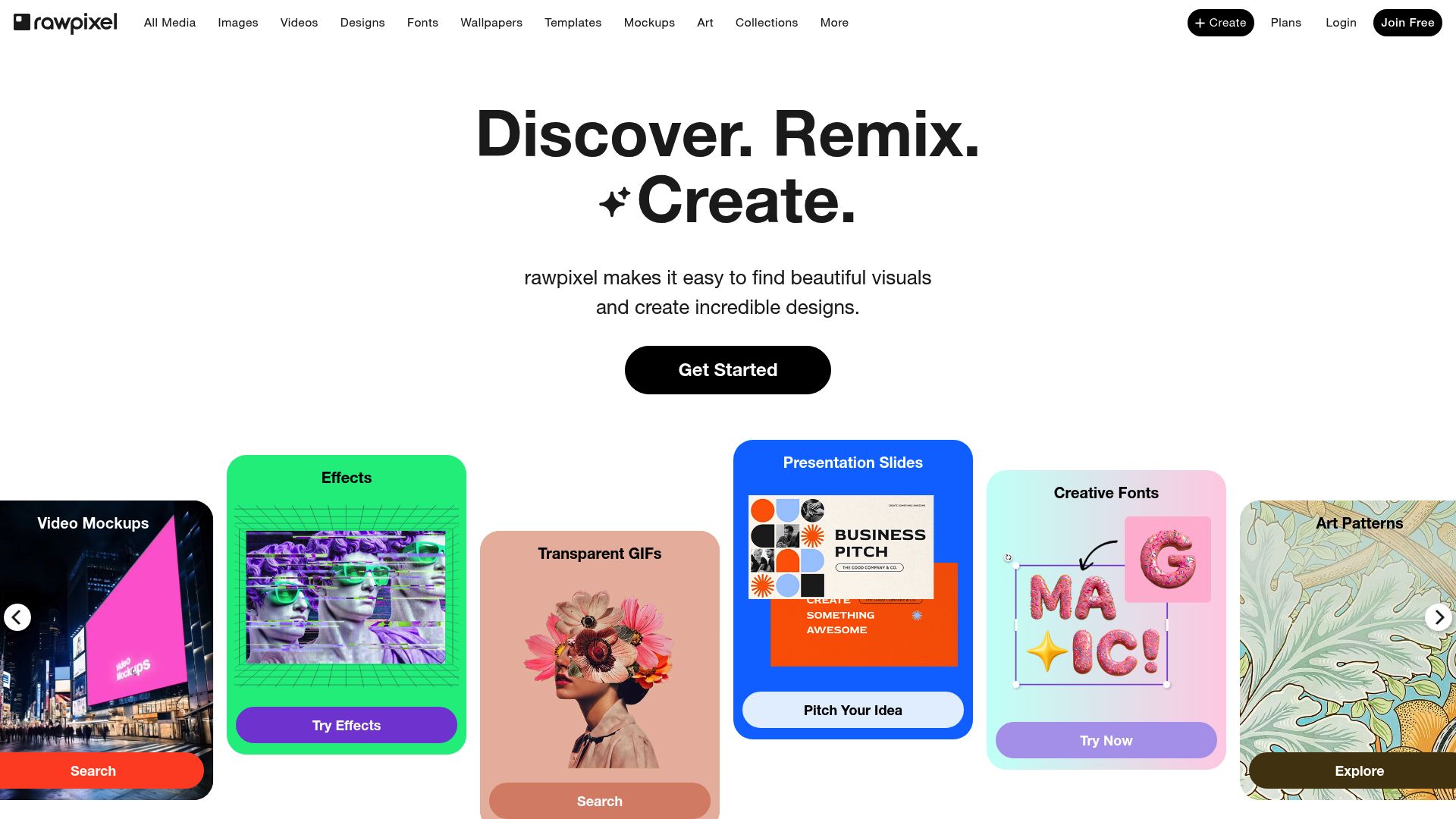
Rawpixel is a goldmine for designers: public domain vintage art, PSD mockups, vectors, and stock photos, all beautifully curated. Saving them one file at a time turns a five-minute task into an hour of clicking.
Rawpixel Downloader grabs entire collections, boards, or search results in one batch. It distinguishes between free and premium assets, showing the license status on every file. Whether you're building a mood board of vintage illustrations or stocking up on mockup templates, everything downloads at full quality and lands on your computer ready to use.
No data leaves your browser. Works with Chrome, Edge, Firefox, Brave, and Opera.
Why It Exists
- Access Rawpixel's unique public domain art archive and download entire collections offline for design inspiration
- Batch-download PSD mockups, vectors, and photos instead of saving resources one at a time
- Keep license type metadata intact so you know which assets are free vs. premium at a glance
- Build organized offline design libraries with curated Rawpixel resources ready for any creative project
Key Features
- Scans Rawpixel search results, boards, and curated collections for design resources and public domain art
- Auto-detects asset type — PSD mockup, vector graphic, stock photo, or public domain artwork
- Full support for Rawpixel's public domain archive including vintage illustrations, classical paintings, and historical images
- Labels every download as free or premium so you know license obligations at a glance
- Downloads PSD mockups, vectors, and photos at full resolution in their original file format
- Board and collection export pulls entire curated sets of design resources in one operation
- Filters by resource type (photo, vector, PSD, public domain) before building the queue
- Handles Rawpixel's free-with-attribution and premium-only access tiers correctly
- Duplicate tracker flags previously downloaded Rawpixel resources to avoid redundant pulls
- Concurrent transfer queue with per-file progress bars and automatic retry on failure
How It Works
- Install the extension: Add Rawpixel Downloader to Chrome, Edge, Firefox, Brave, or Opera and complete the quick activation with your license key.
- Browse Rawpixel resources: Navigate to any Rawpixel search results page, board, or curated collection to find design resources, public domain art, and stock photos.
- Select assets to download: Click the extension icon to scan the page for available photos, PSD files, vectors, and public domain artwork. Select files individually or batch-select all.
- Choose format and download: Download in the original format with license type metadata preserved. Files save locally organized by asset type and Rawpixel resource ID.
Reviews
- Perfect for public domain art collections (5/5): Rawpixel's public domain archive is a goldmine for vintage design work. This extension lets me batch-download entire collections of historical illustrations without the tedious one-by-one process. - Margot Clement
- Streamlines PSD mockup workflows (4.9/5): I download Rawpixel PSD mockups for client presentations and the batch queue saves me at least an hour per project. File quality is always preserved. - Tyrone Brooks
- Smart license tracking saves guesswork (4.8/5): The free vs. premium license tagging is really helpful. I can see at a glance which Rawpixel assets need attribution and which are fully unrestricted. - Yuki Tanaka
Platform Support
Browsers
- Chrome
- Edge
- Firefox
- Brave
- Opera
Operating Systems
- Windows
- macOS
- Linux
Supported Content
- Stock photos in JPEG and PNG formats
- PSD mockups and design templates
- Vector graphics and illustrations
- Public domain art, vintage illustrations, and historical images
Not Supported
- Safari and mobile browsers
- Premium content without a Rawpixel subscription
- Bypassing Rawpixel's access restrictions
- DRM-protected or restricted assets
Privacy and Permissions
Supported regions: Worldwide.
Limitations:
- You must be logged in to your Rawpixel account to access premium content.
- Premium resources require an active Rawpixel subscription.
- Public domain content is freely available but some resources have specific attribution requirements.
- File formats vary by asset — PSD, vector, and photo formats depend on what Rawpixel provides.
- Safari and mobile browsers are not supported.
- Download speed depends on your internet connection and Rawpixel's servers.
- Email activation is required before first use.
Permissions:
- downloads: Saves Rawpixel design assets directly to your downloads folder and tracks batch download progress for each file.
- activeTab: Reads the current Rawpixel page to detect available assets, extract full-resolution URLs, and inject download controls into search results and boards.
- storage: Stores licence activation, download history for duplicate detection, and user preferences between browser sessions.
- notifications: Sends desktop alerts when batch downloads complete or if a transfer encounters an error requiring attention.
FAQ
How do I download from Rawpixel with this extension?
Navigate to any Rawpixel search results page, board, or individual resource page. Click the extension icon — it scans for available assets. Select the files you want and click Download. Files save in their original format to your downloads folder.
Does it work with Rawpixel's public domain content?
Yes. The extension fully supports Rawpixel's public domain archive, including vintage illustrations, classical paintings, and historical photographs. These assets are free to use without restrictions.
Can I download Rawpixel PSD mockups and vectors?
Yes. The extension detects photos, PSD files, vectors, and public domain art on Rawpixel pages and downloads them in their original format and resolution.
Does it distinguish between free and premium Rawpixel content?
Yes. The extension identifies the license type (free vs. premium) for each asset and includes this in the download metadata, so you always know which resources require attribution and which are premium-only.
Does this bypass Rawpixel's premium access restrictions?
No. The extension only downloads content you can access with your Rawpixel account. It does not bypass premium restrictions or download content you haven't subscribed to.
Which browsers are supported?
Chrome, Edge, Firefox, Brave, and Opera on Windows, macOS, and Linux desktops. Safari and mobile browsers are not supported.
Is my data private?
Yes. All processing runs locally in your browser. No account credentials, download history, or file data is transmitted to external servers.
Is this legal?
DISCLAIMER: We are not attorneys and do not offer legal advice. Laws vary by country and platform. For any legal question please consult a qualified legal professional.
We give you full control over download speeds because we believe users should decide how they use their software.
That said, here are a few widely accepted best practices for safe, responsible downloading:
-
Only download content you created, own, or have explicit permission from the rights holder to access.
-
Protect your personal data by respecting platform rules and rate limits with reasonable download speeds to avoid automated abuse systems putting your account at risk.
-
Protect your privacy by using a reputable VPN for IP protection before initiating downloads — this is the VPN we recommend & use.
Links
Browse more
Related Entries

Stop losing movies when streaming mirrors go down. Save them as MP4 files you keep forever.